
PrimeBuilder is made up of modules that work as a single ecosystem — Map, Automate, and Operate — connecting people, processes, systems, devices, and Artificial Intelligence in a single environment.
Map
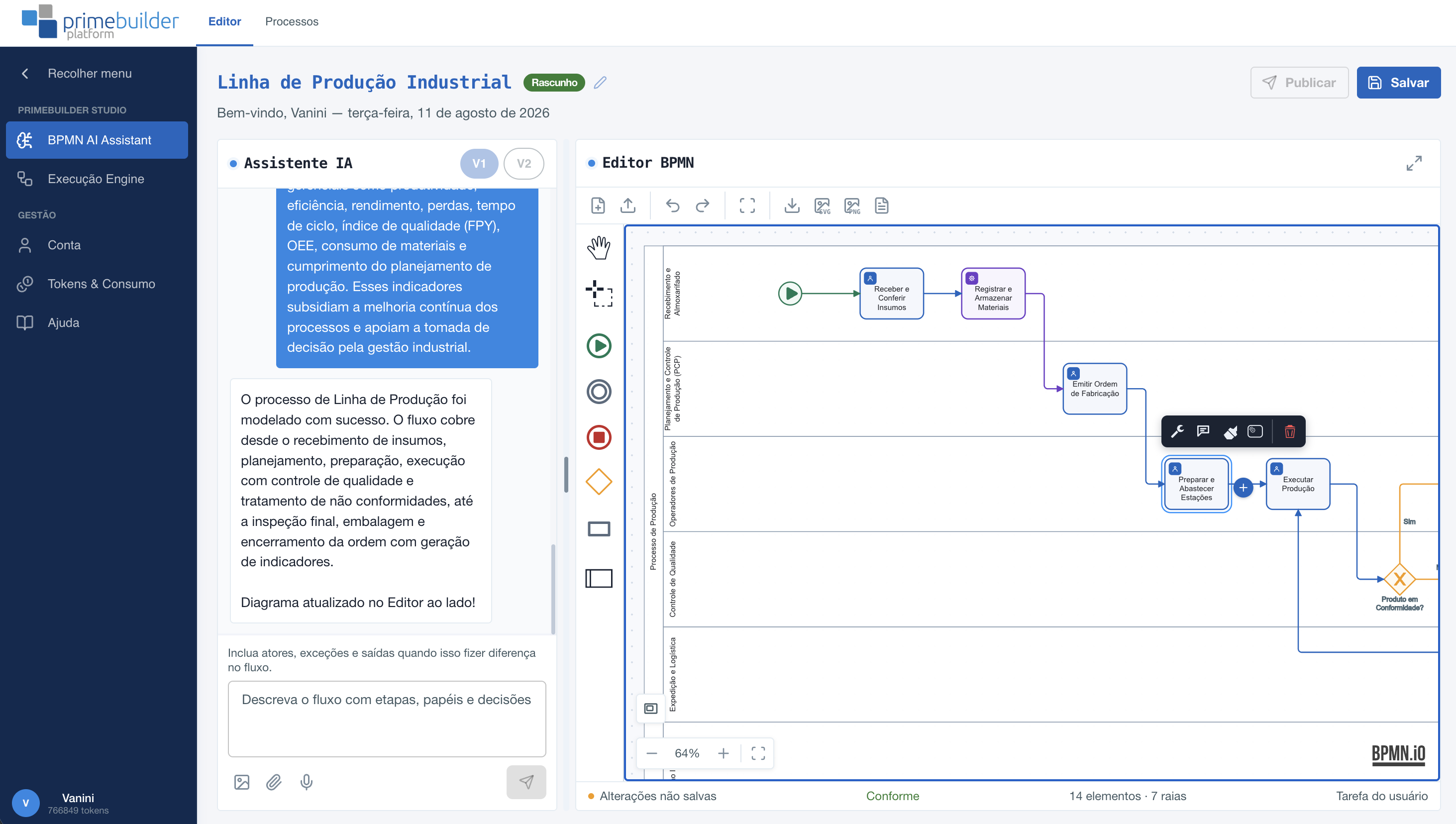
Studio is the platform's flow and process editor. With it, we define everything from the foundation of how the company's process behaves to all the operational logic that will be executed by users and, in the future, agents — eliminating the need for custom development for each scenario.
AI Assistant — generates process flows from natural language, eliminating the need to manually draw processes.
Flow Editor — document processes using the market standard, with lanes, roles, and business rules.
Flow Runner — automates complete journeys of corporate processes, going beyond field processes.
Application Editor — builds the applications made available to users in the PrimeBuilder App.
Automate
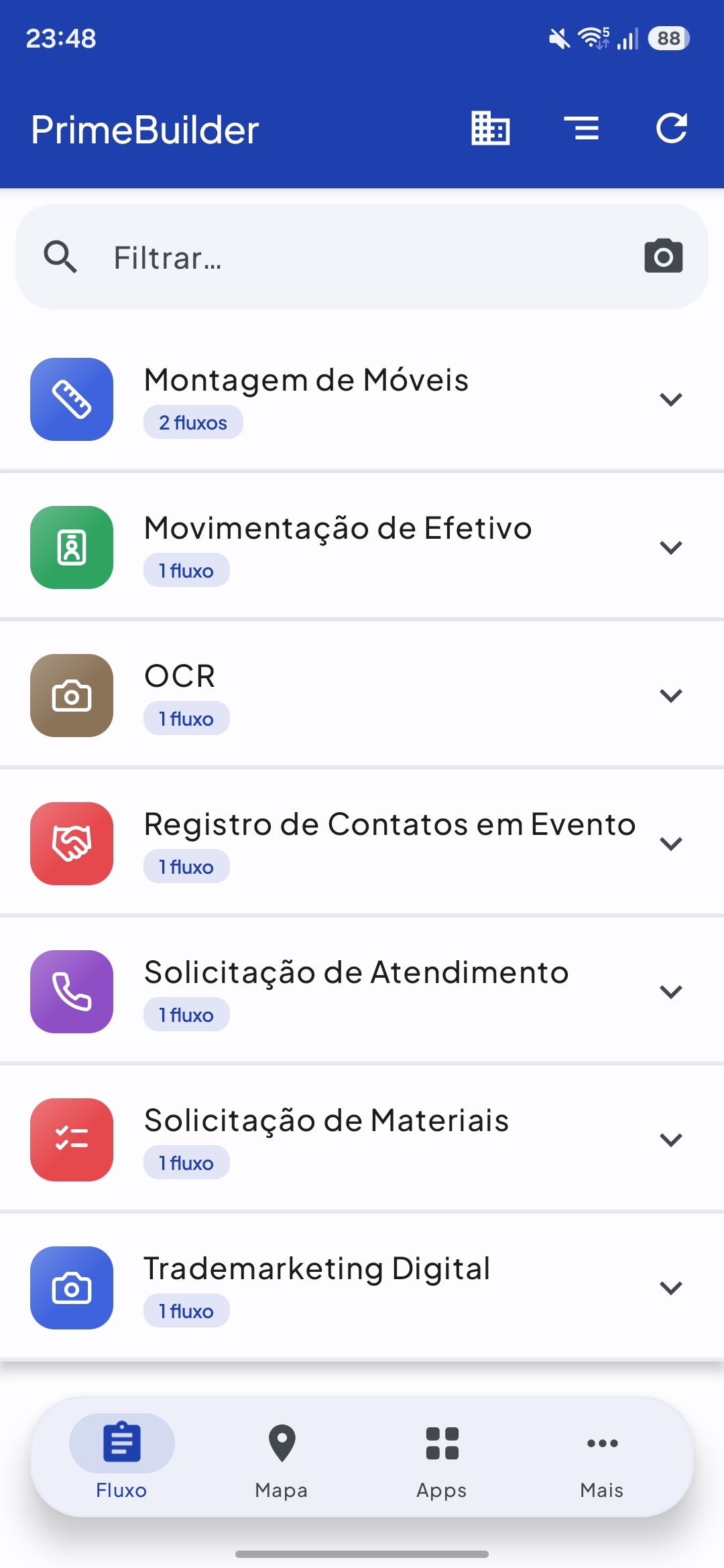
The PrimeBuilder App is installed on the user's smartphone and runs any flow created in Studio — a single application for multiple operational solutions. In addition, the process flow runner orchestrates the entire operational journey. Today, some customers already run more than 50 operational flows.
PrimeBuilder Apps — cross-platform operational application that brings process execution to the field professional.
Automated Workflows — convert mapped processes into real executions, without relying on traditional development.
AI Agents — specialized assistants that will soon operate in an integrated way alongside human teams.
PrimeBuilder APIs — integration layer with the systems that already run your business (ERPs, CRMs, and others).
Operate
Manager is the platform's web environment for managing and monitoring the operation. A standard analytics layer automatically consolidates the key transactional data — process, owner, dates, status, deadlines, and executions — into a single model, with management indicators available natively.
PrimeBuilder Manager — manage the operation in real time, with a focus on usability and productivity.
Analytics — native management indicators, with no additional configuration required.
Continuous evolution — track indicators and adapt processes whenever needed, because processes change every day.
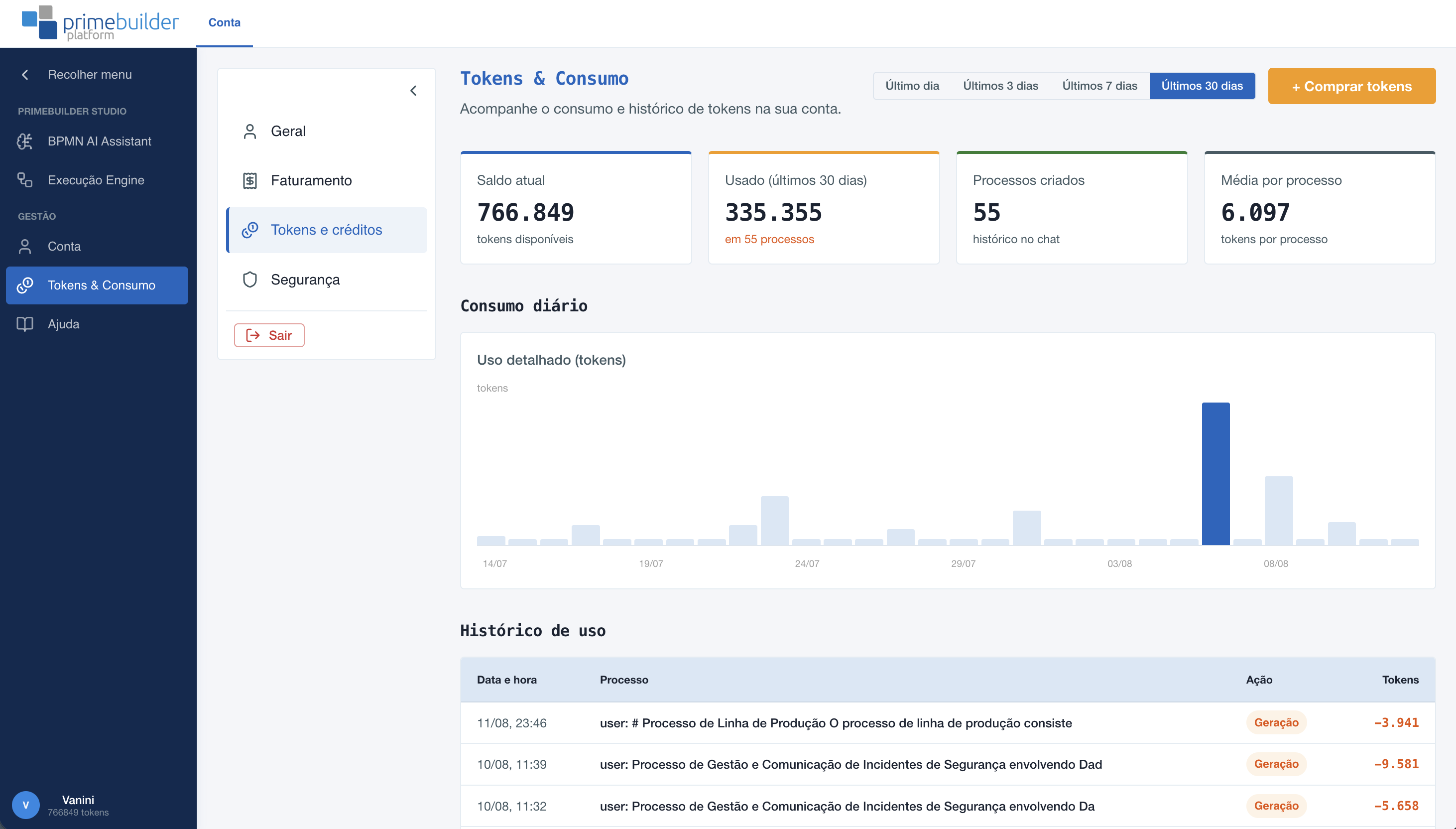
Try the AI assistant for process mapping for free. Nothing to install, no technical knowledge required.