
Solutions / Digital Checklists
Logging a deviation isn't enough — you need to guarantee it triggers an action. Automate checklists and inspections and turn nonconformities into actions controlled by the process, automatically.
The problem
On paper, filling out the checklist is only the start. After execution, someone still needs to receive, organize, and read the forms to spot deviations, interpret what requires action, route it to the right person, and track the follow-up — manual work that grows right along with the operation.
Manual / paper process
Digital process with PrimeBuilder
Completed on paper or in a standalone form.
Digital, standardized execution in the app.
Manual collection, organization, and filing.
Centralized record and history available on the platform.
Reading through every checklist to find deviations.
Rules automatically flag answers that require action.
Interpretation and routing depend on a person.
Action subflow triggered automatically.
Pending items tracked by spreadsheet, email, or follow-up calls.
Owner, deadline, status, and resolution controlled by the process.
Data consolidated after the fact to produce indicators.
Data and reports available for management.
Where it can be applied
Machinery and equipment
Vehicles and fleet
Operational safety and PPE
Quality and compliance
Facilities and infrastructure
Opening and closing procedures
Audits and inspections
Technical service calls and visits
How it works
Planning and recurrence
Checklist released
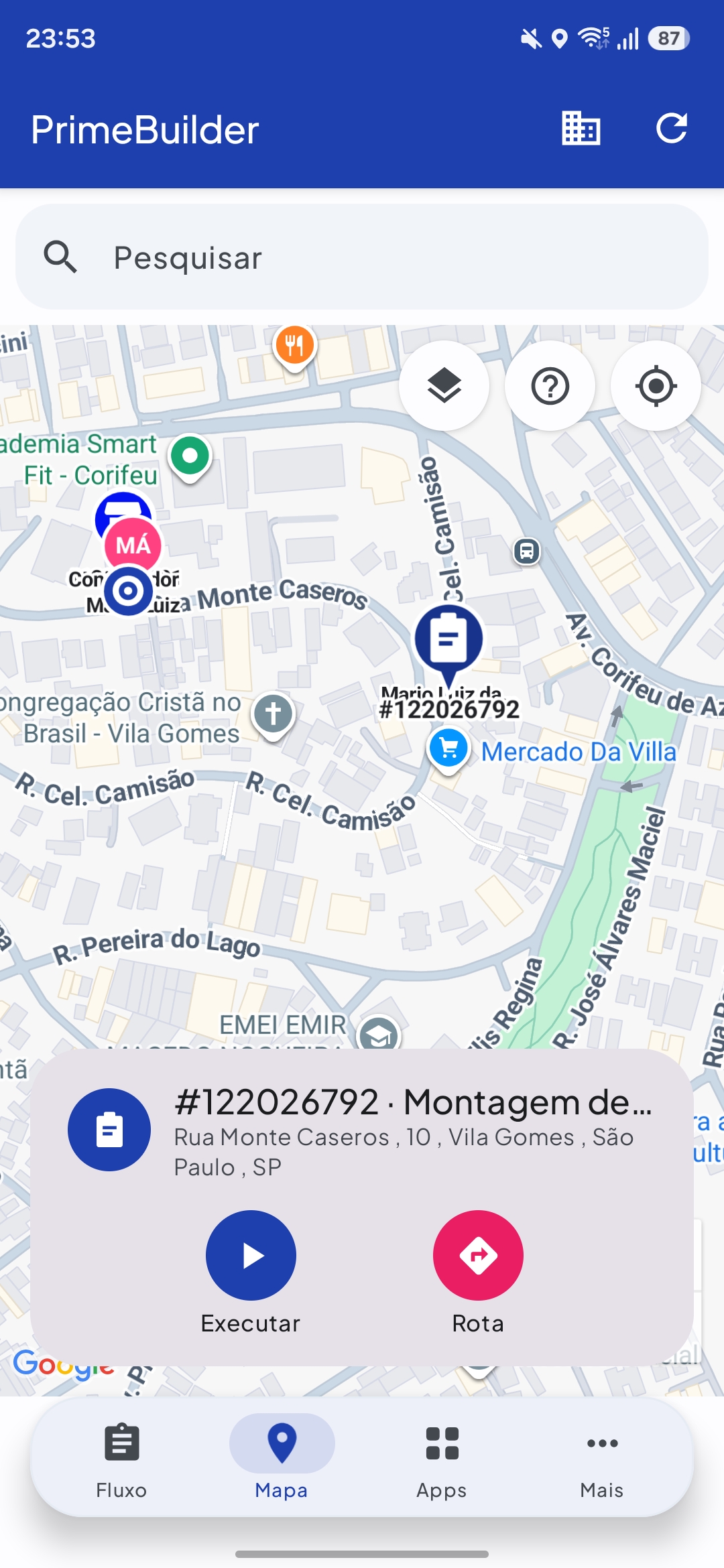
Field execution via the app
Digital document
Deviation identified, subflow triggered
Resolution and evidence
Completion and real-time management
When an answer matches a configured rule, the process flow automatically generates the expected action: it opens an activity, assigns an owner and deadline, requests evidence, and tracks resolution — without relying on manual reading or triage of the checklist.
Differentiator
Deviation → Rule → Subflow → Owner → Deadline → Resolution → Evidence → Completion
Deviations that match the configured rules can automatically trigger the expected action, without relying on manual reading or triage of the checklist — the deviation is born as a manageable action.
Benefits
Less time spent on collection, reading, triage, data entry, routing, and consolidation.
Deviations handled within a flow with owners, deadlines, evidence, and history.
Less dependence on human perception to turn a nonconformity into an action.
Execution reports, photographic evidence, and new data for managing pending items.
Product
Checklist automation is built on the same modules as the PrimeBuilder Operating Platform — no isolated systems and no custom development for each scenario.
PrimeBuilder Studio
Flow editor — configure the checklist and the rules that identify deviations and trigger resolution subflows, with AI support.
PrimeBuilder App
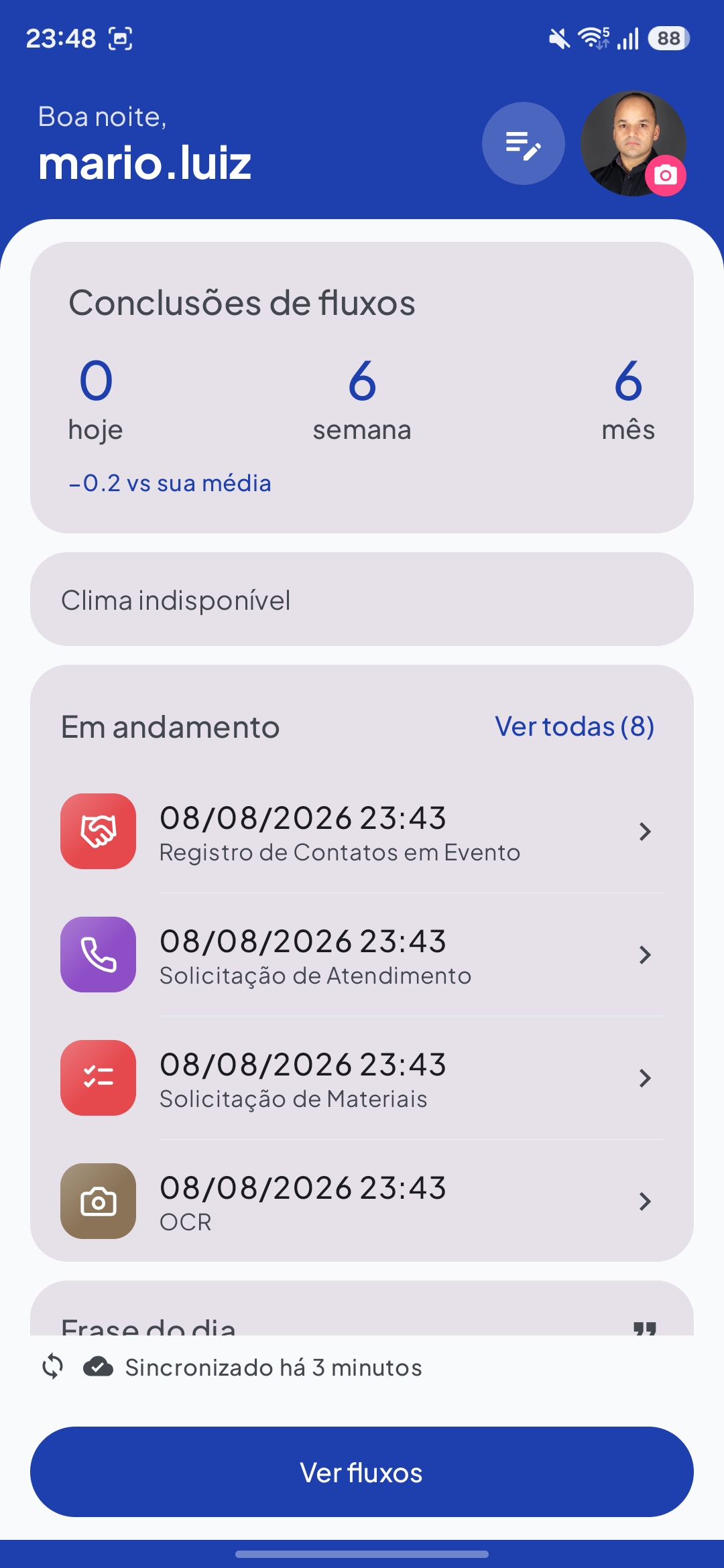
Field execution — digital checklists, evidence, photos, location, QR code reading, signature, and date/time on the smartphone.
PrimeBuilder Manager & Analytics
Management and control — planning, tracking, history, owners, pending items, deadlines, and resolutions.
PrimeBuilder APIs
System integration — connect the solution to the corporate systems your company already uses.
Credibility
Printing, collection, reading every form, triaging deviations, routing, and consolidation — every manual step consumes administrative time that automation eliminates.
100%
Of deviations that match the configured rules automatically trigger an action.
~70%
Less administrative effort per checklist, eliminating manual reading, triage, and data entry.
Zero
Printed, filed, or lost paper in the checklist process.
Results vary depending on the process implemented.
Where the return comes from
Less reading, triage, routing, data entry, and consolidation of checklists — time that multiplies across the operation's monthly volume.
Less printing, circulation, physical storage, and document retrieval — recurring costs that add up and disappear with process digitization.
The deviation can trigger the required action immediately after it's identified, without waiting for manual reading of the checklist.
Lower chance of a logged deviation going unresolved due to a reading or routing failure — reducing exposure in audits and nonconformities.
Applicable across sectors with routine checklists and inspections
Franchises
Industry
Retail
Facilities
Utilities
Technical Service Providers
Highways and Ports
Agriculture
Platform recognized by Gartner as a Cool Vendor Brazil.
Try the AI assistant for process mapping for free. Nothing to install, no technical knowledge required.